
 MOVIE
MOVIENimona (2023)
English original
99 minQuick look: Nimona
A knight framed for a tragic crime teams with a scrappy, shape-shifting teen to prove his innocence.
Full details →EXPLORE 2NOW
Find the film. Follow the series. Keep your favourites.
 MOVIE
MOVIEEnglish original
99 minA knight framed for a tragic crime teams with a scrappy, shape-shifting teen to prove his innocence.
Full details → MOVIE
MOVIEEnglish original
93 minWhile working underground to fix a water main, Brooklyn plumbers—and brothers—Mario and Luigi are transported down a mysterious pipe and wander into a magical new world. But when the brothers are separated, Mario embarks on an epic quest to find Luigi.
Full details → MOVIE
MOVIEEnglish original
135 minThe youngest of King Triton’s daughters, and the most defiant, Ariel longs to find out more about the world beyond the sea, and while visiting the surface, falls for the dashing Prince Eric. With mermaids forbidden to interact with humans, Ariel makes a deal with the evil sea witch, Ursula, which gives her a chance to experience life on land, but ultimately places her life – and her father’s crown – in jeopardy.
Full details → MOVIE
MOVIEEnglish original
170 minWith the price on his head ever increasing, John Wick uncovers a path to defeating The High Table. But before he can earn his freedom, Wick must face off against a new enemy with powerful alliances across the globe and forces that turn old friends into foes.
Full details → MOVIE
MOVIEEnglish original
134 minA charming thief and a band of unlikely adventurers undertake an epic heist to retrieve a lost relic, but things go dangerously awry when they run afoul of the wrong people.
Full details → MOVIE
MOVIEEnglish original
192 minSet more than a decade after the events of the first film, learn the story of the Sully family (Jake, Neytiri, and their kids), the trouble that follows them, the lengths they go to keep each other safe, the battles they fight to stay alive, and the tragedies they endure.
Full details → SERIES
English original
3 seasons recordedThe Targaryen dynasty is at the absolute apex of its power, with more than 15 dragons under their yoke. Most empires crumble from such heights. In the case of the Targaryens, their slow fall begins when King Viserys breaks with a century of tradition by naming his daughter Rhaenyra heir to the Iron Throne. But when Viserys later fathers a son, the court is shocked when Rhaenyra retains her status as his heir, and seeds of division sow friction across the realm.
Full details → SERIES
English original
2 seasons recordedTwenty years after modern civilization has been destroyed, Joel, a hardened survivor, is hired to smuggle Ellie, a 14-year-old girl, out of an oppressive quarantine zone. What starts as a small job soon becomes a brutal, heartbreaking journey, as they both must traverse the United States and depend on each other for survival.
Full details → SERIES
English original
3 seasons recordedA group of high school students navigate love and friendships in a world of drugs, sex, trauma, and social media.
Full details → SERIES
English original
2 seasons recordedSmart, sarcastic and a little dead inside, Wednesday Addams investigates twisted mysteries while making new friends — and foes — at Nevermore Academy.
Full details → SERIES
English original
4 seasons recordedGeralt of Rivia, a mutated monster-hunter for hire, journeys toward his destiny in a turbulent world where people often prove more wicked than beasts.
Full details → SERIES
English original
6 seasons recordedIn this musical comedy, optimistic high school teacher Will Schuester tries to refuel his own passion while reinventing the high school's glee club and challenging a group of outcasts to realize their star potential as they strive to outshine their singing competition while navigating the cruel halls of McKinley High.
Full details → SERIES
English original
2 seasons recordedAmid the stark discord of twin cities Piltover and Zaun, two sisters fight on rival sides of a war between magic technologies and clashing convictions.
Full details →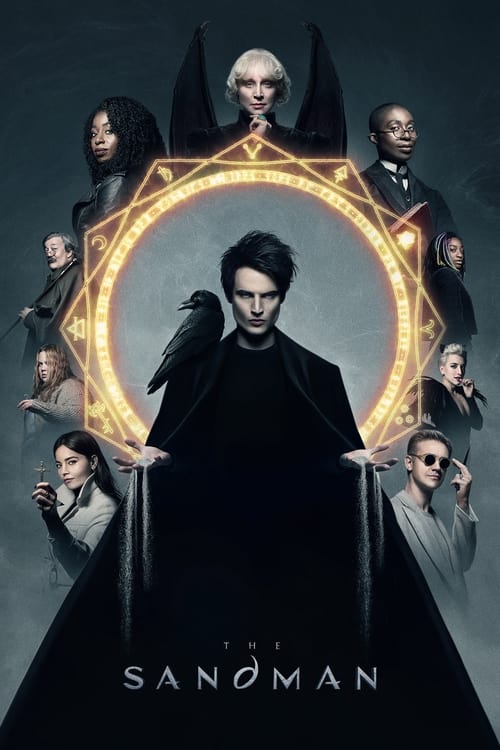 SERIES
English original
2 seasons recordedAfter years of imprisonment, Morpheus — the King of Dreams — embarks on a journey across worlds to find what was stolen from him and restore his power.
Full details → SERIES
English original
3 seasons recordedFollow the exploits of various guests and employees at an exclusive tropical resort over the span of a week as with each passing day, a darker complexity emerges in these picture-perfect travelers, the hotel’s cheerful employees and the idyllic locale itself.
Full details →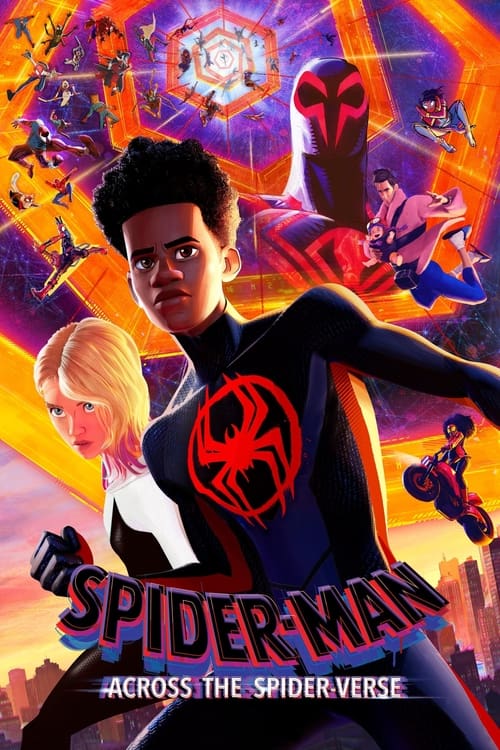 MOVIE
MOVIEEnglish original
140 minAfter reuniting with Gwen Stacy, Brooklyn’s full-time, friendly neighborhood Spider-Man is catapulted across the Multiverse, where he encounters the Spider Society, a team of Spider-People charged with protecting the Multiverse's very existence. But when the heroes clash on how to handle a new threat, Miles finds himself pitted against the other Spiders and must set out on his own to save those he loves most.
Full details → SERIES
English original
4 seasons recordedFollow the lives of the Roy family as they contemplate their future once their aging father begins to step back from the media and entertainment conglomerate they control.
Full details → SERIES
English original
5 seasons recordedCarmy, a young fine-dining chef, comes home to Chicago to run his family sandwich shop. As he fights to transform the shop and himself, he works alongside a rough-around-the-edges crew that ultimately reveal themselves as his chosen family.
Full details → MOVIE
MOVIEEnglish original
95 minWhen a group of friends discover how to conjure spirits using an embalmed hand, they become hooked on the new thrill, until one of them goes too far and unleashes terrifying supernatural forces.
Full details →MOVIEEnglish original
99 minA knight framed for a tragic crime teams with a scrappy, shape-shifting teen to prove his innocence.
Full details → MOVIE
MOVIEJapanese original
113 minAs a lionhearted boy who can't wield magic strives for the title of Wizard King, four banished Wizard Kings of yore return to crush the Clover Kingdom.
Full details →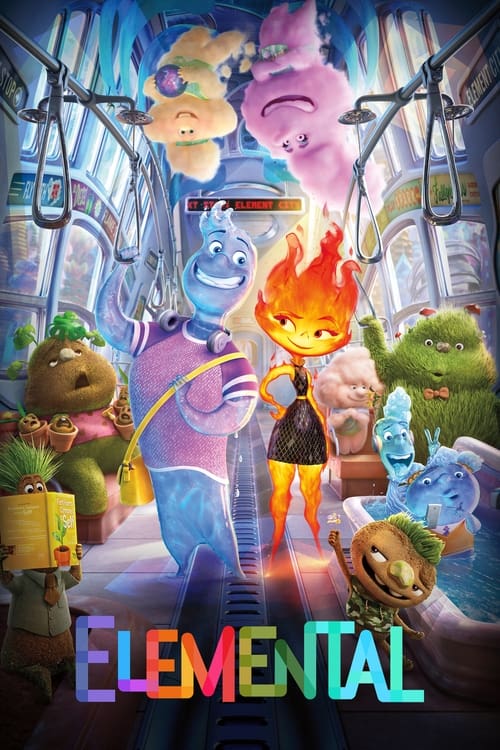 MOVIE
MOVIEEnglish original
102 minIn a city where fire, water, land and air residents live together, a fiery young woman and a go-with-the-flow guy will discover something elemental: how much they have in common.
Full details →MOVIEEnglish original
140 minAfter reuniting with Gwen Stacy, Brooklyn’s full-time, friendly neighborhood Spider-Man is catapulted across the Multiverse, where he encounters the Spider Society, a team of Spider-People charged with protecting the Multiverse's very existence. But when the heroes clash on how to handle a new threat, Miles finds himself pitted against the other Spiders and must set out on his own to save those he loves most.
Full details → MOVIE
MOVIEEnglish original
99 minStill reeling from the tragic death of their mother, a teenage girl and her younger sister find themselves plagued by a sadistic presence in their house and struggle to get their grieving father to pay attention before it’s too late.
Full details →MOVIEEnglish original
135 minThe youngest of King Triton’s daughters, and the most defiant, Ariel longs to find out more about the world beyond the sea, and while visiting the surface, falls for the dashing Prince Eric. With mermaids forbidden to interact with humans, Ariel makes a deal with the evil sea witch, Ursula, which gives her a chance to experience life on land, but ultimately places her life – and her father’s crown – in jeopardy.
Full details → MOVIE
MOVIEEnglish original
142 minOver many missions and against impossible odds, Dom Toretto and his family have outsmarted, out-nerved and outdriven every foe in their path. Now, they confront the most lethal opponent they've ever faced: A terrifying threat emerging from the shadows of the past who's fueled by blood revenge, and who is determined to shatter this family and destroy everything—and everyone—that Dom loves, forever.
Full details →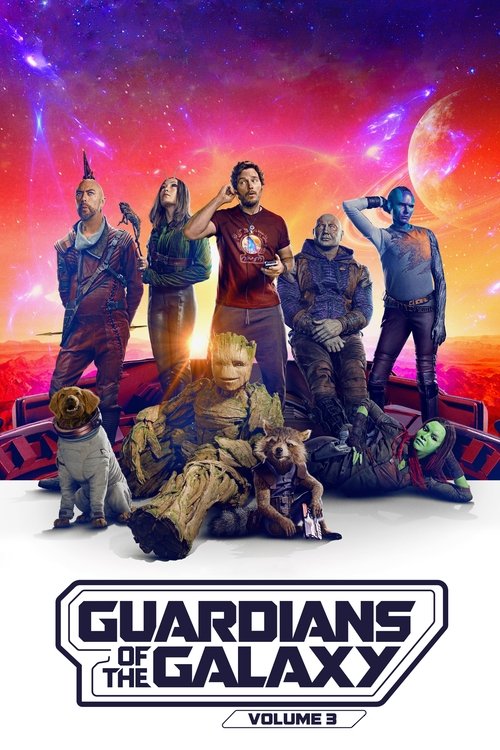 MOVIE
MOVIEEnglish original
150 minPeter Quill, still reeling from the loss of Gamora, must rally his team around him to defend the universe along with protecting one of their own. A mission that, if not completed successfully, could quite possibly lead to the end of the Guardians as we know them.
Full details → MOVIE
MOVIEEnglish original
96 minA reunion between two estranged sisters gets cut short by the rise of flesh-possessing demons, thrusting them into a primal battle for survival as they face the most nightmarish version of family imaginable.
Full details →MOVIEEnglish original
93 minWhile working underground to fix a water main, Brooklyn plumbers—and brothers—Mario and Luigi are transported down a mysterious pipe and wander into a magical new world. But when the brothers are separated, Mario embarks on an epic quest to find Luigi.
Full details → MOVIE
MOVIEEnglish original
112 minDiscover the game-changing partnership between a then undiscovered Michael Jordan and Nike's fledgling basketball division which revolutionized the world of sports and culture with the Air Jordan brand.
Full details →SERIESEnglish original
3 seasons recordedThe Targaryen dynasty is at the absolute apex of its power, with more than 15 dragons under their yoke. Most empires crumble from such heights. In the case of the Targaryens, their slow fall begins when King Viserys breaks with a century of tradition by naming his daughter Rhaenyra heir to the Iron Throne. But when Viserys later fathers a son, the court is shocked when Rhaenyra retains her status as his heir, and seeds of division sow friction across the realm.
Full details →SERIESEnglish original
2 seasons recordedTwenty years after modern civilization has been destroyed, Joel, a hardened survivor, is hired to smuggle Ellie, a 14-year-old girl, out of an oppressive quarantine zone. What starts as a small job soon becomes a brutal, heartbreaking journey, as they both must traverse the United States and depend on each other for survival.
Full details →SERIESEnglish original
3 seasons recordedA group of high school students navigate love and friendships in a world of drugs, sex, trauma, and social media.
Full details →SERIESEnglish original
2 seasons recordedSmart, sarcastic and a little dead inside, Wednesday Addams investigates twisted mysteries while making new friends — and foes — at Nevermore Academy.
Full details →SERIESEnglish original
4 seasons recordedGeralt of Rivia, a mutated monster-hunter for hire, journeys toward his destiny in a turbulent world where people often prove more wicked than beasts.
Full details →SERIESEnglish original
6 seasons recordedIn this musical comedy, optimistic high school teacher Will Schuester tries to refuel his own passion while reinventing the high school's glee club and challenging a group of outcasts to realize their star potential as they strive to outshine their singing competition while navigating the cruel halls of McKinley High.
Full details → MOVIE
MOVIEJapanese original
106 minHigh schoolers Mitsuha and Taki are complete strangers living separate lives. But one night, they suddenly switch places. Mitsuha wakes up in Taki’s body, and he in hers. This bizarre occurrence continues to happen randomly, and the two must adjust their lives around each other.
Full details → MOVIE
MOVIEJapanese original
129 minShouya Ishida starts bullying the new girl in class, Shouko Nishimiya, because she is deaf. But as the teasing continues, the rest of the class starts to turn on Shouya for his lack of compassion. When they leave elementary school, Shouko and Shouya do not speak to each other again... until an older, wiser Shouya, tormented by his past behaviour, decides he must see Shouko once more. He wants to atone for his sins, but is it already too late...?
Full details →MOVIEEnglish original
140 minAfter reuniting with Gwen Stacy, Brooklyn’s full-time, friendly neighborhood Spider-Man is catapulted across the Multiverse, where he encounters the Spider Society, a team of Spider-People charged with protecting the Multiverse's very existence. But when the heroes clash on how to handle a new threat, Miles finds himself pitted against the other Spiders and must set out on his own to save those he loves most.
Full details → MOVIE
MOVIEEnglish original
103 minPuss in Boots discovers that his passion for adventure has taken its toll: He has burned through eight of his nine lives, leaving him with only one life left. Puss sets out on an epic journey to find the mythical Last Wish and restore his nine lives.
Full details → MOVIE
MOVIEEnglish original
105 minDespite his family’s baffling generations-old ban on music, Miguel dreams of becoming an accomplished musician like his idol, Ernesto de la Cruz. Desperate to prove his talent, Miguel finds himself in the stunning and colorful Land of the Dead following a mysterious chain of events. Along the way, he meets charming trickster Hector, and together, they set off on an extraordinary journey to unlock the real story behind Miguel's family history.
Full details → MOVIE
MOVIEEnglish original
102 minIn a time of superstition and magic, when wolves are seen as demonic and nature an evil to be tamed, a young apprentice hunter comes to Ireland with her father to wipe out the last pack. But when she saves a wild native girl, their friendship leads her to discover the world of the Wolfwalkers and transform her into the very thing her father is tasked to destroy.
Full details →My List holds your films and the episode reminders you save.
A browser shortcut for 2Now, Android APK information and what to use on other screens.
Read more →Compare another film, a new series or a different viewing edition without losing the title you came for.
Read more →Understand changed 2Now addresses and recover a film from an old bookmark.
Read more →Fix an empty search, a slow page or a playback problem without unnecessary resets.
Read more →Read the available edition’s quality options and choose a stable picture for your device.
Read more →Choose readable subtitles, find available audio tracks and handle timing differences.
Read more →Choose films on a small screen, browse comfortably on desktop and continue through a supported TV player.
Read more →Prepare the right film, language and episode before travelling without a connection.
Read more →Explore movies without a catalogue account and compare free, included or paid editions by country.
Read more →Keep track of a show, distinguish its season from its first release year and return at the right point.
Read more →Move recognised saved titles and episode reminders between browsers using a text backup.
Read more →EXPLORE MOVIES & TELEVISION
Some evenings begin with a title already in mind. Others begin with a question: what would be good right now? 2Now makes room for both. Search directly, move through the featured posters or use a genre to give the evening a direction. Movies, television, animation and familiar favourites sit within reach, with the information you need to turn a passing interest into a choice.
The posters are the centre of the 2Now experience. They let you scan quickly, recognise something you meant to watch and pause over a film you have never heard of. A compact navigation sits alongside the desktop catalogue, while the smaller-screen menu keeps the same main categories available without taking space away from the films.
Featured is a starting selection, not a statement that every viewer should make the same choice. It places several different kinds of films near one another so you can respond to a story, a familiar character or a visual style. If none of them fits, use Movies or TV Shows to move into the full selection rather than scrolling with no particular aim.
Quick look opens a short description while you stay near the poster you selected. That is useful when the picture is familiar but the title is not, or when you want to know the premise without opening a separate page. Close the preview to compare another film, or continue to Full details for the cast, year and viewing options.
You do not need an account to make those first decisions. Search, category browsing and the local saved-list tools are available before you commit to watching anywhere. Keep a promising title for later if the timing is wrong. A film does not have to be tonight’s choice to deserve a place on your list.
When you are ready, the title page’s Watch now action opens JustWatch viewing options for your selected country. That is where you compare the editions available to continue with. 2Now remains useful before and after that step: to find the right production, organise your choices and return for the next film.
A filter should make a choice easier, not turn it into a puzzle. Start with the preference you actually know. If you want a movie rather than a television programme, select Movies. If you want animation, choose that genre. Leave the other fields open until the result list gives you a reason to narrow it further.
The homepage’s Explore controls offer a quick entry by format, genre and order. The full search adds original language, release year and movie length. Those details answer different questions. Original language describes the production; it does not list every available dub. Movie length describes an individual film; it is not the total time needed to finish a series.
Sorting is useful even when you do not want to exclude anything. Release date brings newer titles forward. Title order helps when you are scanning for a remembered name. Rating offers another starting point, provided you still read the source of the score and the number of votes. Popularity is a way to see attention, not a personal prediction of enjoyment.
If a result list becomes empty, relax the least certain condition first. You might remember seeing a film in 2023 even though its first release was earlier. You might remember an English dub of a production whose original language was different. The filter can be behaving correctly while the remembered detail is incomplete.
Reset clears the search back to a broader starting point. Use it freely when switching between unrelated films. It is easier than trying to remember which combination of fields you left selected while looking for the previous title.
Movie names do not always stay in memory as neatly as their stories. You may recall “Mario,” a performer, a subtitle or a phrase someone used when recommending the film. Try the most distinctive part first. The catalogue search checks titles, available alternative names, original names and recorded cast, giving you several possible ways back.
For example, a short search for Mario can be more practical than a long sentence about watching the full movie online. The words about watching describe what you want to do, but they are not part of the film’s name. Once the result appears, its year and story help you confirm which production you meant.
Use the year when several versions share a title. The Little Mermaid may bring a particular version to mind, while another viewer remembers an earlier film. Beauty and the Beast and The Lion King also require attention to the selected production. A familiar character on a poster is not enough to settle which version you are opening.
Actor searches work best with the performer’s name rather than the role. A character may appear in several films or be played by different people, and not every role name belongs in a general title search. Open the cast details when you want to check the connection, then follow another credited title from that person’s work in the selection.
If you still cannot find it, remove filters and try another short phrase. A different spelling or local title can change the result. Keep the search simple enough that the information in the catalogue has a chance to match what you remember.
Latest Movies orders films by their recorded release dates. It is a useful place to start when you want something comparatively recent, but it does not mean every title reached every viewing service on that date. A cinema release, a festival screening and a home-viewing edition can occur at different times.
That is why 2Now keeps the film’s identity and viewing choices separate. The release year tells you which production you selected. Watch now helps you inspect the available editions for your location. You do not need to infer availability from a poster badge or assume that a new-looking film must already be included in a service you use.
A year page can be just as useful for older films. It gives you a smaller selection from a particular period and can remind you of something you intended to see. Your next new experience might come from a film released years ago rather than the newest entry in the catalogue.
Try mixing one recent choice with one older option in My List. The recent film can be there for a conversation you want to join, while the older one can be a quieter choice when you want fewer expectations. Neither has to displace the other. A useful list reflects your interests, not only the release calendar.
For sequels, check the complete title rather than relying on the date alone. A franchise may contain prequels, spin-offs or stories that use a different naming pattern. The right place to begin depends on what you have already seen, so use the film details before assuming that the newest poster is the next chapter for you.
The animation selection is one of the easiest ways to see how different films can share a medium without sharing a mood. Nimona, The Super Mario Bros. Movie, The Sea Beast and The Incredibles each offer a different kind of adventure. Their colour and movement are part of the invitation, but the characters and tone are what determine whether the film fits your evening.
For a group, choose the story together rather than letting the brightest poster make the decision. Someone may want a familiar world; someone else may prefer an unexpected hero. Read the synopsis and check the audience guidance on the edition you will watch. Animation is not, by itself, an age rating.
Running time can help with the practical choice. A film that suits everyone but runs beyond the available evening may be better saved for another day. Use the movie-length filter to narrow the possibilities, then compare the remaining stories. That keeps the decision focused without reducing it to a popularity score.
Animated films can also reward a second viewing. You may notice background details, visual jokes or a small character moment that passed quickly the first time. A returning favourite is a reasonable choice when you want something dependable, particularly when the group includes viewers seeing it for the first time.
The animated-adventure collection gives you a starting point, while the broader Animation genre lets you continue beyond that selection. Move between them depending on whether you want a small shortlist or a wider browse. Neither requires you to follow a fixed order.
Some animated and fantasy films make their worlds feel carefully built rather than simply large. A doorway, a forest, a house or an unfamiliar creature can give a story its own atmosphere. The storybook and spooky-animation collections are for evenings when that sense of place matters as much as the scale of the adventure.
Song of the Sea and Wolfwalkers offer one kind of visual invitation. Coraline and The Nightmare Before Christmas suggest another. Guillermo del Toro’s Pinocchio brings a familiar name into a distinct version of the story. Check the individual film rather than assuming that recognising the title tells you everything about its tone.
These choices can work well when you want a film to hold the room’s attention visually. A larger screen may reveal texture and composition that are easy to overlook on a phone, but the right edition and comfortable subtitles still matter more than chasing the highest available resolution without checking the whole setup.
When choosing for younger viewers, do not treat a fairy-tale connection as a guarantee of lightness. Strange or frightening moments can be part of the appeal for one audience and the wrong fit for another. Read the destination’s age guidance and decide for the people actually watching with you.
If one of these worlds catches your interest, save the related titles rather than trying to watch them all in one sitting. A collection is a set of possibilities, not homework. Return when the atmosphere suits the evening, and choose the story you are most curious about then.
Anime browsing benefits from clear names and separate productions. Your Name., Suzume, Weathering with You and A Silent Voice: The Movie are not interchangeable simply because they appear in the same collection. A short premise can tell you whether you are choosing a journey, an intimate drama or a story whose unusual events change ordinary lives.
Original titles and alternative names can help when you learned about a film through a different language. Try the name you know, then compare the year and synopsis. The catalogue’s original-language field can orient you, but the subtitles and audio you will use still depend on the edition selected for viewing.
For television, the older-viewer animation collection keeps a different set of choices visible. Arcane, Cyberpunk: Edgerunners, Castlevania, Blue Eye Samurai and Scavengers Reign each build a world over episodes. Their visual styles do not establish that they suit the same age group as a family animated movie.
Choose a series with the same care you would give live-action drama. Consider its tone, the time you want to invest and whether the available season is the one you intend to begin. Save a checkpoint after a completed episode if you want a simple reminder while moving between shows.
You can enjoy animation without needing to organise your viewing around labels such as mainstream, specialist or essential. Start with the story that interests you. The category pages are there to help you find it, not to test whether your choice belongs to someone else’s idea of the right viewing list.
A familiar action series can make the choice feel easy, until several sequels appear together. The John Wick collection keeps the four numbered films in release order so you can identify the chapter you need. Read the full title and year, especially when returning after a long gap between films.
Release order is a useful default for a numbered series, but your own history matters. If you have already seen the earlier films, you may simply want to check which one came last. If you are new to the series, begin with the starting film instead of letting the most recent poster decide for you.
Outside a franchise, action can offer very different styles. Atomic Blonde, Nobody, Bullet Train and The Man from U.N.C.L.E. do not all aim for the same pace or tone. Our collection connects them as starting points for an action evening, while their synopses give you the distinctions needed for a more personal choice.
For a late night, check the running time before opening a longer film. An exciting premise can make a title tempting even when you do not have room to finish it. Save it and choose something shorter if you would rather avoid stopping in the middle of a tightly paced story.
Picture and sound can add to an action film, but a reliable stream remains important. Confirm the available edition on your chosen service, then test a short scene before adjusting several settings. A film that plays smoothly at a sensible quality is more enjoyable than one interrupted by constant troubleshooting.
Some films invite you into a large world; others build their tension around a contest, a risky decision or people trying to outdo one another. The big-screen and racing collections let you approach those experiences separately. You can choose the scale of Avatar: The Way of Water or the competitive energy of a film such as Ford v Ferrari without expecting them to satisfy the same mood.
Dungeons & Dragons: Honor Among Thieves offers another route into an adventure evening. The title can be familiar to someone who knows the game, but the film still needs to work as the story you are choosing now. Read the premise rather than assuming you must arrive with a particular level of background knowledge.
Guardians of the Galaxy Vol. 3 and Spider-Man: Across the Spider-Verse also show why franchise context can matter. If you are joining a story partway through, consider whether you want to revisit an earlier film first. A strong poster can attract your attention without explaining everything about the position of that film in a larger series.
For racing and rivalry, compare the kind of tension you want. A contest on a track and a negotiation around a business decision create different viewing rhythms. The collection can connect them through competition while leaving the individual stories distinct.
Make the final choice for the people and time you have. A large television may be a good reason to save a visually expansive film for a particular night. A shorter, conversation-led film may fit a different evening better. My List can hold both without forcing them into one ranking.
A programme you follow every week can become part of the rhythm of your evenings. A limited run can feel closer to a long film. A familiar comedy may be something you return to between more demanding stories. Before choosing a series on 2Now, think about which of those experiences you want.
The TV Shows section separates programmes from films and keeps the first release year visible. That year identifies the production, not every season within it. If you remember a recent season of a show that began earlier, searching only the recent year can hide the result you meant to find.
Open the programme page for recorded seasons, cast and the story. You can save the series and set a checkpoint for the last episode you completed. That reminder is useful when you alternate between several programmes or return after a break. It is a manual note in this browser, not an automatic connection to another service’s player.
For a new show, consider the shape of the commitment. A programme with many seasons offers a different possibility from a short run. You do not have to promise to finish everything before trying the first episode, but knowing the available scope helps you decide whether it suits the next few weeks.
When comparing viewing options, check the season rather than stopping at the programme name. Services can carry different parts of the same show. The correct series result is only the first step; the selected edition should include the episodes you actually intend to watch.
If you arrived looking for “2now tv the idol,” search The Idol to open the 2023 series. Its title page brings together the premise, cast and recorded season information, with a Watch now action for country-specific viewing options. You can save it while comparing another programme instead of keeping the search phrase in a separate note.
A title connected with music can lead to several different kinds of story. Some programmes focus on a band, others on a performer’s public image, a business or the people surrounding a career. The Music, Fame & the Backstage Story collection keeps that variety visible rather than treating every show involving a stage as a musical in the same sense.
Daisy Jones & the Six, Vinyl, Empire, Nashville and The Get Down offer different settings and approaches. Glee belongs to a different viewing tradition again. Check the individual synopsis and audience guidance, particularly if you are choosing for a group. A shared subject does not establish a shared tone or age suitability.
Music-driven programmes can also be a good reason to check the selected edition’s sound and subtitle options. Dialogue, lyrics and performance scenes may ask different things of your setup. Choose the track that works for the room and the people watching, and test the volume before the episode becomes much louder or quieter than expected.
If one show interests you mainly because of a performer, use the cast links to explore other recorded credits. That gives you another path through the catalogue without assuming that the next programme will repeat the same character or story.
Some of the most interesting programmes are difficult to describe with one label. A show can be funny while its characters are having a terrible time. A family argument can carry more tension than an action scene. The drama collection on 2Now makes room for those combinations without expecting a genre tag to explain every shift in tone.
The Bear, Succession, Beef, The White Lotus and Barry each offer a different kind of pressure. Fleabag approaches its material in another way. A short description helps you decide whether you want that atmosphere tonight, but it cannot replace the experience of watching the performances and rhythm unfold.
For a lighter evening, do not assume that a programme listed under comedy will necessarily feel gentle. Read the premise and consider what kind of humour you enjoy. Similarly, a drama can contain warmth and surprising comic moments without being the wrong choice for someone who wants more than tension.
Fantasy can provide another change of pace. Wednesday, The Sandman, Sweet Tooth and Lockwood & Co. invite you into different versions of an unusual world. If you want to explore that direction, the fantasy collection offers a smaller starting list than the full TV catalogue.
Save a few programmes with different tones instead of building a queue that all feels the same. On an evening when you are not ready for the next intense episode, another saved show can offer an easier way to keep watching something you genuinely enjoy.
Top-ranked lists are useful because they make a broad catalogue easier to approach. They are not a substitute for knowing what you like. A highly rated film can be the wrong choice for your available time or mood, while a more divisive film can be exactly the conversation you want to have afterward.
The Top IMDb menu is a familiar label for the highly rated selection. The scores shown here are identified as TMDB ratings, with the vote count visible on the title page. That distinction keeps the source clear. Ratings from different databases should not be treated as if they are the same measurement.
A score based on a small audience can change differently from one attached to a widely seen film. Recent releases, specialist animation and older favourites can all have different patterns of attention. Read the number alongside the synopsis, year and cast rather than letting one decimal make the whole decision.
Trending is different from highly rated. It reflects popularity information for the titles in the catalogue. A film can be receiving attention without being the best fit for every viewer. Use the trending row to notice something, then open the details to decide whether that attention interests you.
For a group, ratings can help create a shortlist but should not settle disagreements by themselves. Ask what each person wants from the evening. Pace, subject, language and running time often give you a more useful common ground than arguing over a fraction of a rating point.
2Now lets you browse movies and TV shows without a paid catalogue account. Search the selection, read a synopsis and save a title before deciding where to continue. The interface does not make you register simply to understand what a film is or compare it with another choice.
The edition you watch has its own terms. A title may be offered free, with advertising, within a subscription or as a rental. Another film beside it may have different choices. That is why a search for free movies online is best followed by checking the actual offer for the specific film and country.
Open Watch now when you have identified the title. It takes you to JustWatch’s viewing options for the selected location. Read the listed edition before continuing to a service. A free trial, a film included with an existing subscription and a no-charge ad-supported offer are not interchangeable, even when all of them make the same title accessible in some way.
If avoiding another payment is important, keep more than one candidate in your list. You can compare the available editions of several films that suit the evening instead of spending all the time on a single unavailable option. A small amount of flexibility can make a practical difference.
Do the same at the season level for television. A free or included first season does not establish the terms for later episodes. Confirm the part of the programme you need, and leave the show saved if you decide to choose something else for now.
Country can mean two different things when you are browsing films. A production country tells you something about where a title was made. A viewing country tells the availability search which location to use. On 2Now, those choices are kept separate because changing one does not necessarily answer the other question.
Use Countries to explore productions, including films made through more than one country’s involvement. A co-production may appear under several places without being several different movies. Open the title details to see the recorded countries together, and use the original-language field for another piece of context.
Use the viewing-country buttons when you want to compare available editions where you will watch. The choice is saved in the current browser and applied to the Watch now links. If you travel or browse for someone elsewhere, revisit that setting rather than assuming it still matches your situation.
A missing offer does not mean the film is missing from the catalogue. It means the selected location may not currently have an edition listed. You can keep the title saved, compare another film or check again when your plans change. The title information still gives you a useful reference.
Country browsing can be a pleasant way to explore beyond the first familiar posters, but it should not become a rigid rule. A film’s language, subject and style may matter more to your choice than a single production location. Use whichever detail helps you find the story you want.
HD is useful shorthand, but it is not the whole picture. The film, the available video edition, your screen and the connection all influence how a viewing session looks. A title’s poster and release year cannot guarantee the resolution you will receive from a particular service.
Full HD is commonly described as 1080p, with a picture measuring 1920 by 1080 pixels. A suitable screen can show more detail than a lower-resolution edition, but the result also depends on compression and the source. Sharpness is not the only quality you notice during a moving scene.
Begin with the setting offered by the player you selected. If it has automatic quality, allow it to settle. Repeated buffering can make a forced high setting less enjoyable than a stable lower one. Try one change, watch a short section and decide whether it improves the experience.
On a smaller phone screen, lower quality may be a sensible compromise for mobile data. On a larger television, you may notice more detail and want to compare higher-quality editions. The right choice depends on the actual screen and connection, not a rule that the highest number must always be best.
If the picture looks poor only in one film, compare another title or edition before changing every device setting. If every video looks wrong, the display or connection may deserve a closer look. Separating those cases makes troubleshooting more focused and keeps you from disturbing settings that were already working well.
Consumer 4K typically means 3840 by 2160 pixels. It can make fine detail more visible on an appropriate large screen, but the edition, service plan and playback device must support it. A television with a 4K label does not automatically turn every offer into a 4K stream.
Check the selected service’s description of the film and its supported playback method. The same production may have different quality options across services. A browser, a television app and a console app can also have different support, even when they use the same account.
HDR is a separate part of the setup. It concerns aspects of brightness and colour rather than simply adding pixels. An edition may combine HDR with 4K, but the labels do not mean the same thing. If the image looks unusually dim or washed out, look at the actual display and player combination rather than assuming higher resolution solves it.
A busy household connection can change during a film. Other streams, uploads and downloads may compete for capacity. If the player changes quality, give it a chance to adapt. Forcing the highest setting repeatedly can make an unstable connection feel worse rather than preserve detail.
For a planned movie night, open the edition and test a short scene before everyone sits down. Confirm that the screen, sound and subtitles work together. That practical check is worth more than a promise based only on a title card saying HD or a device box saying 4K.
Language can decide whether a film works for a particular evening. One viewer may prefer the original performance, while another needs subtitles or a dubbed track. Check those options before beginning rather than assuming every edition of the film includes the same languages.
The catalogue’s Original language field describes the production. It is useful for finding films and understanding their background, but it is not a complete language menu for every viewing service. Open the selected player’s audio and subtitle controls to see what that edition actually provides.
Caption labels deserve a moment of attention. A track that includes speaker names, music and important sounds can be more helpful for some viewers than dialogue-only subtitles. An audio-description track serves a different purpose again. Choose the support that suits the people watching instead of treating all language options as duplicates.
When subtitle text is difficult to read, use the size, contrast or background controls where the destination player supplies them. Check from the sofa, not only while standing near the television. On a phone, landscape orientation can give longer lines more room and make the picture easier to follow alongside the text.
If timing is wrong, try another included track or restart the scene. A subtitle offset that stays constant differs from one that grows across the film. Timing controls may help with the first, while a different cut or edition may explain the second. Do not assume that changing video resolution will fix a language-track problem.
On a phone, the catalogue should let you make a choice without constantly zooming or dismissing a crowded menu. 2Now keeps the search near the top, places the main navigation behind a menu on narrow screens and gives each poster enough room for its title. You can open a preview, close it and continue comparing without losing the page you were browsing.
A tablet offers more space, but its layout still depends on how you hold it and how much width the browser has. Rotate it when that makes the posters or subtitles more comfortable. A larger device does not require you to use every available column if the text would be easier to read at a different size.
On a Mac or other desktop computer, the sidebar gives you a consistent way back to Movies, TV Shows and category browsing. Search remains available above the content. If you reduce the browser window, the site can switch to the narrower layout. That is a response to the space available, not a sign that the desktop version has failed.
Use normal browser zoom when you need larger text. A comfortable reading size is more important than fitting as many posters as possible on screen. The preview and full title page offer two ways to read a story, so choose the amount of detail that suits what you are doing.
Remember that changing devices also changes browser storage. The film you saved on a Mac will not appear on a phone merely because you opened the same homepage. Use the list backup tool when you want to carry those choices across.
A phone or laptop is often the easiest place to choose a film for a television. Find the exact title on 2Now, check its year and language, then look at the available viewing edition. Once you know which service carries the version you want, open that service’s supported app or player on the larger screen.
A Smart TV browser may display the catalogue without supporting every external player in the same way as a desktop browser. The viewing service’s own TV app can be a more practical choice. The same applies to consoles: a supported app may offer better remote or controller behaviour than a general web page.
For casting, use the control provided by the selected video player when available. The catalogue image is not a stream you can cast on its own. If the receiving screen does not appear, check the app and device connection rather than assuming the film’s title page needs a different setting.
Before beginning, test the sound and subtitles from the normal seating position. A track that sounds clear through laptop speakers can behave differently through a television or external audio system. Likewise, small subtitles may be easy to read close up and uncomfortable from across the room.
Keep the title and year nearby when entering a search with a remote. It is easy to choose a remake or another programme with a similar name when typing takes effort. The details you checked earlier give you a quick reference for selecting the same production.
If you want to reach 2Now with one tap, a browser shortcut may do everything you need. Save the homepage for general browsing or save My List for a quick return to your own choices. The browser’s menu or sharing controls will show the shortcut options supported by that device.
On an iPhone or iPad, look for a home-screen option in the browser’s sharing menu. On Android, check the browser menu. The wording and behaviour can differ, so use the feature available on your device rather than expecting every browser to show the same install prompt.
There is no native 2Now APK package offered for download here. An APK mentioned in an old discussion or hosted under a similar name is a separate download, not a requirement for these catalogue pages. Search, title previews, saved films and checkpoints work through the browser experience you are using now.
A shortcut also should not be confused with an offline video library. It can open the website more conveniently, but it does not download films or take over playback in another app. If you want a film for a journey, use the download options of the viewing edition you have selected.
For Kodi, there is no 2Now add-on supplied by this site. Continue through a supported viewing app or player when moving to another device. That keeps the access method clear without treating every package or extension using a similar name as part of the same product.
A long journey is a good reason to prepare several films or episodes in advance. Use 2Now to make the shortlist, then check which available editions support offline viewing on the device you will carry. The destination service determines whether a download is offered, which app is required and how long the saved edition remains usable.
Do not stop at adding the title to My List. That saves a reference to the film, not its video. Open the viewing app’s download area and confirm that the transfer finished. For television, check the individual episodes you need rather than assuming a series page means the entire season is stored.
Choose the language tracks and quality before leaving home. A smaller download can be a sensible choice on a phone, especially when space is limited or you want several episodes. The best setting for a large television may be unnecessary on the screen you will use during the trip.
Start the saved edition once while you still have a reliable connection. That gives you time to resolve an incomplete transfer, an account requirement or a subtitle problem. If the service shows an expiry or renewal rule, read it before preparing the download too far in advance.
Keep the shortlist on 2Now for planning and use the viewing app for the actual files. Those are different tasks. Treating them separately makes it much easier to know what will still work when there is no network available.
Save a film when it interests you, even if you do not want to watch it immediately. My List can hold the choices that came at the wrong time: a long adventure for the weekend, a drama for a quiet evening or an animated favourite for a shared screen. It does not require you to watch them in the order you found them.
Open a title and use Save to My List. The saved state appears on that page, and the title joins the list in this browser. Press the saved button again when you want to remove it. That changes the catalogue favourite without changing an account or library on a separate viewing service.
For a series, keep the episode reminder equally simple. Record the last episode you completed, not a guess at where a different player stopped. If you paused partway through an episode, the viewing service’s own resume function may be the better tool for that exact position.
When a list appears empty, first ask whether you are in the same browser and profile. A private window, another device or a different browser can have separate storage. Do not immediately clear website data while trying to recover choices that may still exist in the original session.
Review the list occasionally and remove films you no longer want to keep. A shorter set of genuine interests is easier to act on than a long record of every poster you once clicked. The list should make the next evening easier, not make browsing feel like a backlog you are required to finish.
Use Create backup in My List when you want to keep a copy of your choices. Copy the complete text into a note or document. It contains saved title identifiers and episode reminders, not video downloads, passwords or a login to a viewing service.
On the destination browser, open My List, paste that text into Restore backup and choose Merge backup. Recognised titles that are not already saved can be added without duplicating existing favourites. Checkpoints already in the destination browser are kept, so an older backup does not silently replace newer progress there.
If the tool rejects the text, return to the original copy and check that it is complete. Missing opening or closing characters can make a backup unreadable. A backup from another brand is not the same format merely because some films appear on both websites.
Read the result message after a merge. It explains what was added and whether entries were skipped. Open a restored film and series reminder to make sure the result is what you expected before discarding the note. Keeping the original copy until then gives you a simple way to try again.
A backup is particularly useful before changing devices or clearing browser data. It cannot recover a choice that was never included, so make a fresh copy when the list has changed in a way you care about. That is usually enough; you do not need a complicated routine to keep a practical movie shortlist.
The phrase “streaming servers” is often used for different playback choices, but the actual controls depend on the service carrying the edition. 2Now brings those viewing options together through Watch now. Once you select an edition, that destination supplies the video player and its delivery setup.
An adaptive player can change video quality as the connection changes. This is often described as adaptive bitrate streaming. It can help a session continue when available bandwidth rises or falls, although the exact settings and behaviour differ between players. If automatic quality is offered, allow it time to respond before forcing a different setting.
HTML5 video provides a basis for many browser players, but the technology name does not guarantee the same controls everywhere. Playback speed, Picture-in-Picture, subtitle customization and keyboard shortcuts depend on the browser and the player implementation. Look at the visible controls or that service’s player help for the combination you are actually using.
Picture-in-Picture can be useful for keeping a small video window visible while you do something else on the screen, where supported. A visually detailed film may still be better enjoyed full-screen. Likewise, playback speed is an available preference in some players, not a requirement to use it for every programme.
Keep troubleshooting focused on the control that is relevant. A subtitle issue is not necessarily a server issue. An unsupported casting device is not fixed by changing the catalogue’s genre filter. Knowing which part supplies the feature saves time and avoids altering unrelated settings.
Begin with the symptom you can see. Is the homepage unavailable, is the search empty, are images taking time to appear or is a video failing after you leave the catalogue? Those are different problems, and the right first step depends on which one is happening.
For search, reset the filters and use fewer words. A remembered season year may not match the programme’s first release year. A running-time filter can remove television results. If a short title query works, add conditions one at a time until you have the selection you wanted.
For slow artwork, check whether the text and navigation remain usable. Posters may load as you bring them into view, and image requests can take longer than the page text. One missing picture does not mean you should clear a saved list or change every browser setting.
For playback, identify the destination displaying the error. Pause other large transfers, try its automatic or lower quality option and test a short scene. If one edition continues to fail, return to the title’s viewing choices. Another listed edition may be a more practical solution than repeatedly restarting the entire browsing process.
For saved preferences, return to the original browser before assuming the list is gone. Clearing site data can remove the choices you are trying to recover. If you have a backup, restore it and inspect the result. Keep the exact page address, device and error wording if the problem continues; those details are more useful than a general description that nothing works.
A name remembered from an older bookmark may lead to a different address later. References to 2Now.tv also connect it with a later BFlix address. That history does not prove that every current site with a familiar name shares the same operator, catalogue or saved preferences. Keep the exact address and the actual page in view when returning.
This website does not maintain a live proxy or mirror list. If the homepage opens, use the regular Movies and TV Shows navigation to find the production you wanted. A failed deep link can sometimes be resolved by searching the title again and saving the working page with the correct year.
If you are looking for a 2Now TV alternative because an edition is unavailable, start with the film’s country-specific viewing options. Changing the browsing site does not itself create a missing edition. If you want different recommendations instead, try another collection or genre here before starting a completely new search.
MoviesJoy, MyFlixer, GoMovies and other familiar browsing names may appear in recommendations. Take the title and year with you when comparing any of them. A similar poster grid is not a guarantee of shared features, language tracks or accounts.
The aim is to spend less of the evening finding the film and more of it enjoying your choice. Keep one useful homepage bookmark, a shortlist with a few different moods and a backup when those choices matter. Return to Explore when you want another possibility, and stop browsing when you have found something you genuinely want to watch.
You can browse films and TV shows, search titles and cast, use filters, open title previews and save a local list. Series pages also let you record a completed-episode checkpoint. Watch now opens viewing options for the selected country.
No. The catalogue search, title information and local saved-list tools do not require a 2Now account. A separate viewing service may have its own account or payment requirements.
Browsing is free. A film may have a free or ad-supported viewing offer depending on its available editions and your country. Check the offer for that title rather than assuming every film in the catalogue is free to play.
Search The Idol and open the 2023 series page. It includes the story, cast and recorded seasons, with a Watch now action for viewing options. The music-and-fame collection also includes related programme choices.
No native APK download is offered here. Use the mobile website or create a browser home-screen shortcut. Packages mentioned on other sites are separate downloads, not required for this catalogue.
No Kodi add-on is supplied here. Choose the title in the catalogue and continue through a viewing app or player supported by your device.
Yes. The catalogue uses a browser layout that adapts to desktop, tablet and mobile widths. The desktop sidebar becomes a menu on narrower screens, while search remains available above the content.
Find the film and year here, then open the selected viewing service through an app or player supported by the television. Casting and TV-browser playback depend on that service and your device.
Resolution depends on the particular edition, service, plan and playback device. Read the offer and player settings where you will watch. The catalogue listing alone does not promise every quality option.
Subtitle and audio availability varies between editions. Check the selected player’s language menu. The original language listed here describes the production, not every available translation or dub.
Open its viewing options and choose a service that supports downloads for the title and your device. Use that service’s app to manage the offline copy. My List saves the title, not the video.
The list and checkpoints are stored locally in the browser you use. Create a backup in the original browser and merge it in the new one if you want the recognised choices to move across.
Reset the search and try its name alone. A movie-length filter excludes series, and a show’s first release year may differ from the season year you remembered.
Older references connect 2Now.tv with a later BFlix address. That does not establish that all present-day sites using either name share the same catalogue, operator or saved preferences.
No. The highly rated selection uses labelled TMDB scores and vote counts. Top IMDb is the navigation label for that selection, not the source of the displayed ratings.
Check which player is affected, pause large background transfers and try its automatic or lower quality option. If one edition still fails, return to the title and compare another available viewing choice.